Learn Better Photography
How to download your book to your iPhone
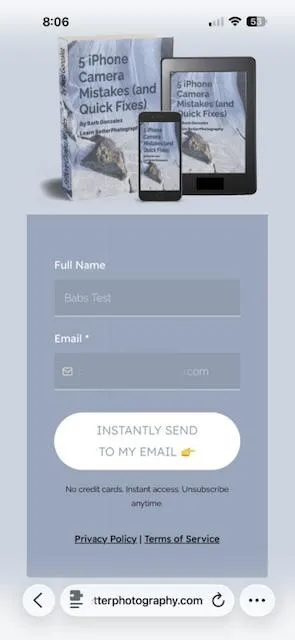
Fill out the form and click on the button to send instantly to your email.
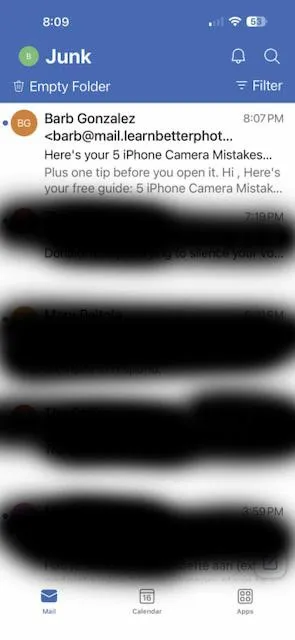
If you don't see the email in your inbox, check your junk mail folder (this screenshot is from Microsoft Outlook email).
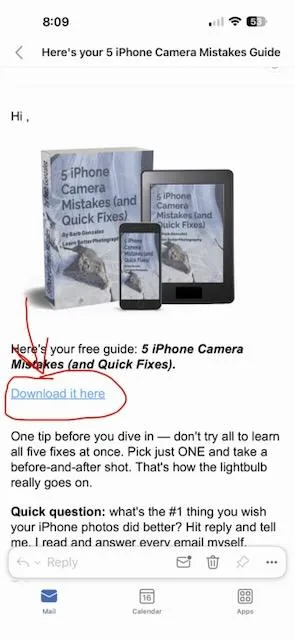
Click on "Download it here" in your email.
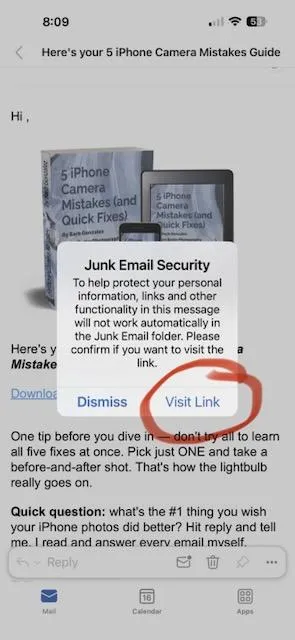
If you get a message like this, click "visit link." Also, move the email to your inbox to make sure any future emails go to your inbox not junk or spam.
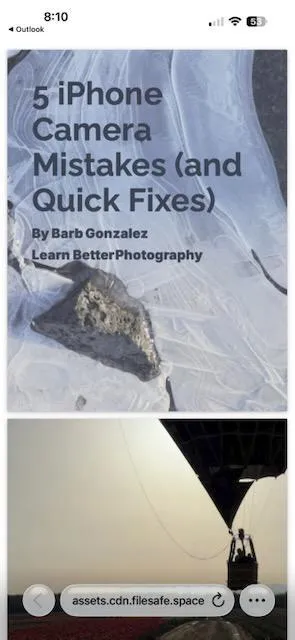
The book will appear on your screen. You can read it here. But if you want to save it on your iPhone so you can view or read it when you have no service or for fast access, read on.
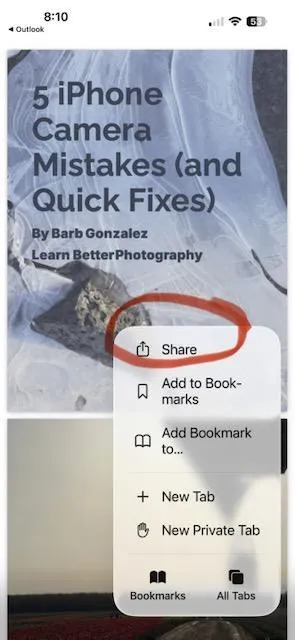
Tap the 3 dots in the bottom right of the screen. Choose "Share" from the dropdown menu.
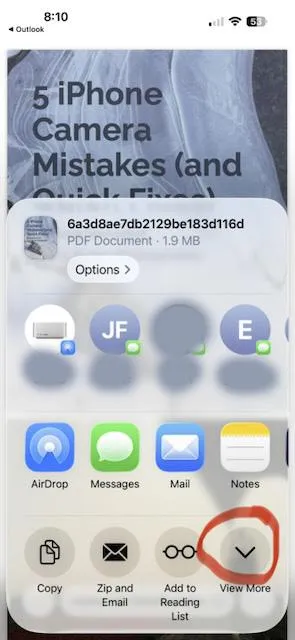
You'll see this screen. Tap the downward arrow to "View More."
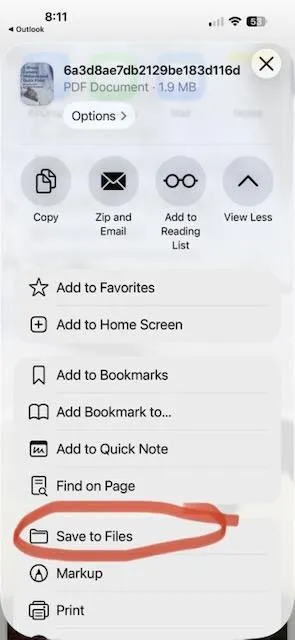
Scroll down and tap on "Save to Files."
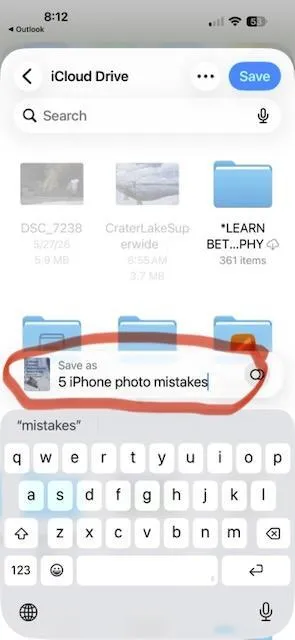
It may read a long numbered file, Rename it here so you can know what it is. I renamed this" 5 iPhone photo mistakes." It's now saved and you can access it when you want.
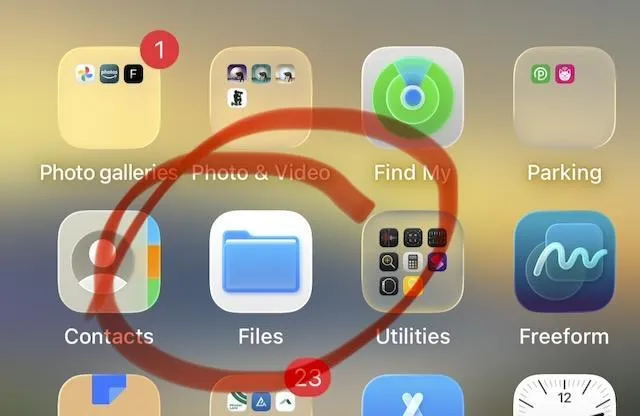
To access the ebook, go to "Files" in your home screen.
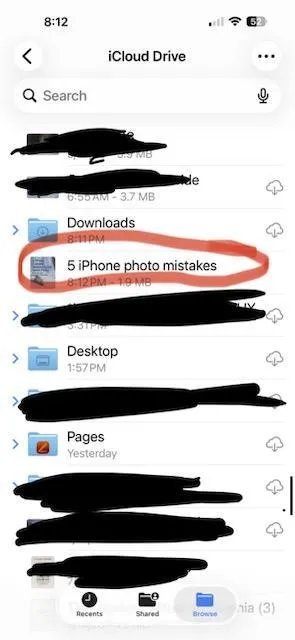
Scroll down to the book title and click on it.
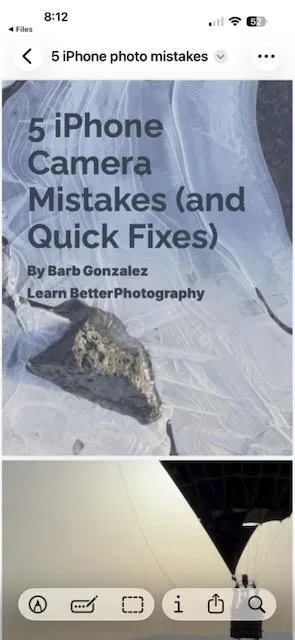
The ebook will appear onscreen where you can read it and reference it whenever you want.